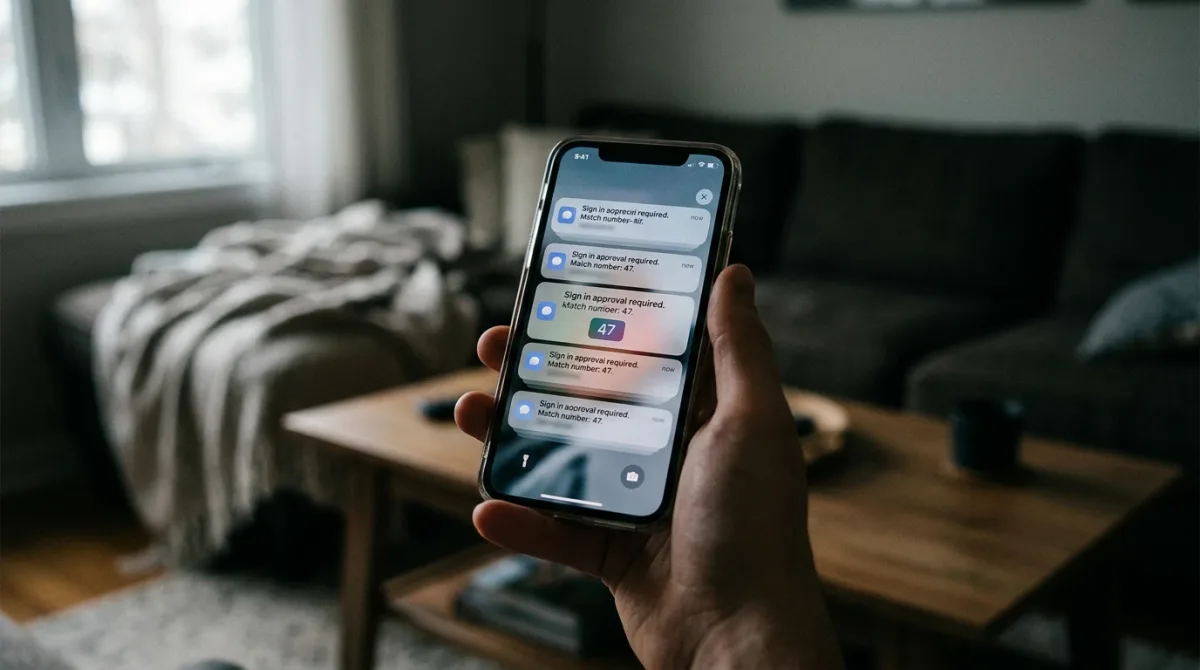
An MFA fatigue attack, also called push bombing, floods a user's phone with repeated login-approval requests until they tap "approve" by accident or out of sheer annoyance. It works against any app that sends a simple yes/no push notification for multi-factor authentication. The fix, a feature called number matching, is built into major authenticator apps and blocks the attack outright, according to guidance from the Cybersecurity and Infrastructure Security Agency.
What actually happens during an MFA fatigue attack?
The attacker starts with something they already have: your password. It might come from a data breach, a phishing page, or password spraying against reused credentials. A stolen password alone shouldn't be enough to get in, because multi-factor authentication (MFA) requires a second step, typically approving a push notification on your phone.
That's where push bombing comes in. The attacker repeatedly tries to log in with your stolen password, and each attempt fires a new approval prompt to your phone. According to a CISA fact sheet on the technique, attackers "bombard a user with mobile application push notifications until the user either approves the request by accident or out of annoyance." No malware, no exploit code, just volume and patience aimed at a tired or distracted person.
The prompts themselves usually carry no context beyond "approve or deny." A user woken up at 2 a.m. by a dozen identical notifications, or one who is mid-task and just wants the buzzing to stop, is the attack's actual target, not a technical flaw in the MFA app.
Has this attack worked against real companies?
Yes. In September 2022, Uber's corporate network was breached after an attacker who had obtained a contractor's password bombarded them with MFA push requests, eventually getting one approved. Axios's year-end review of 2022's biggest breaches cited it as a case where "Uber suffered a widely reported breach through an 'MFA fatigue' attack, where a hacker posed as a company IT staffer and requested access to an employee's accounts," describing it as an example of attackers using simple social engineering rather than sophisticated exploits to get in.
CISA had already flagged the technique before that breach went public, publishing guidance in October 2022 on phishing-resistant and number-matching MFA specifically to close this gap. The advisory doesn't attribute the Uber intrusion to any particular tactic beyond what was publicly reported at the time, and this article makes no attribution beyond that record.
What should I do right now?
If you get a push notification you didn't request, the answer is always "deny," never "approve." A stray prompt means someone has your password, not that your device malfunctioned. Two moves matter most, and both come straight from CISA's guidance.
- Turn on number matching in your authenticator app if your organization's identity provider supports it. Instead of a plain approve/deny button, the app asks you to type a two- or three-digit number shown on the login screen. CISA's fact sheet explains that this defeats push bombing because "generating multiple prompts is not effective" when each one requires the attacker's number, which only appears on the screen the real user is looking at — not the attacker's.
- Change the password tied to the account immediately and report the prompts to your IT or security team, since a flood of unrequested MFA requests means your password is already compromised, independent of whether you approved anything.
For anyone who administers accounts for a team or small business, CISA's broader MFA guidance recommends enforcing number matching at the organization level rather than leaving it optional, since a single employee accidentally tapping "approve" can be enough for an attacker to get in.
How do the common MFA methods compare?
Not all "two-factor" prompts offer the same protection against push bombing. The table below reflects how CISA's guidance describes each method's resistance to fatigue attacks and to phishing generally.
| MFA method | Resistant to push bombing? | Resistant to phishing? |
|---|---|---|
| SMS text code | Not applicable (no push prompt) | No — codes can be relayed to a fake login page |
| Plain push approval (tap yes/no) | No — this is the method push bombing targets | No |
| Push with number matching | Yes — attacker cannot supply the matching number | Partial — still vulnerable to real-time relay in some setups |
| FIDO/WebAuthn hardware key | Yes | Yes — tied to the legitimate site's address |
CISA's guidance treats number matching as the practical fallback for organizations that issue push-based MFA today, and FIDO/WebAuthn keys as the stronger option once an organization is ready to deploy them.
What if my app doesn't support number matching?
Not every service offers it yet. CISA's guidance is direct on this point: number matching is "not as strong as phishing-resistant MFA" but is, in its words, one of the best interim mitigations for organizations that can't move to something stronger immediately. Where it's available, CISA points to FIDO/WebAuthn-based authentication, generally implemented through hardware security keys, as the strongest option, calling it "the only widely available phishing-resistant authentication" today, because it verifies the website itself and can't be tricked by a flood of approval requests or a fake login page.
If your bank, email provider, or workplace login only offers plain push approvals with no number-matching option, that's a gap worth raising with whoever manages the account. Until it's fixed, the safest habit is the simplest one: never approve a login prompt you didn't just trigger yourself.
For a related cybersecurity news perspective, read Edison Aerospace partners with Aveo Engineering for LED lighting.
For more context, read What Actually Happens When CFIUS Reviews a Foreign Deal.